Mrs. Taricco teaches computer science. In the first month of school, we learned HTML and CSS, which can be used to create websites like
the one you are looking at right now. From then until the end of C Term, we learned Java, which can be used to create interesting programs
that can do all sorts of things. Topics that we covered in Java include arrays, array lists, iterations, decisions, objects, methods, and more.
During C and D term, we worked in groups to create an app, through the Apps for Good program,
that solved a problem in the world.
In one assignment, we were tasked to create a program that could invert the colors in any picture. In my program, I created a loop that
inverted the colors of each individual pixel. In the pictures to the left, the top picture is the original image, while the bottom picture
is the inverted image.
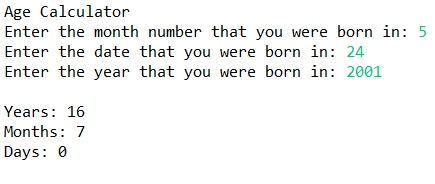
In another assignment, we were tasked to create a program that could tell how old someone was. We had to determine how many years,
months, and days old they were. Even though there were probably methods that I could have used to do the math, I decided to write out the
code instead, which you can see in the link above.
At the beginning of C Term, we started a project called Apps for Good. In this project, we were tasked with creating an app to solve a problem. My group
created a customizable alarm clock to solve the problem of people having a hard time waking up in the morning. The name of the app is called Wake Me Up! Alarm Clock.
The main feature that differentiates this app from other alarm clock apps is the ability to fully customize which sounds the users want to play in an alarm.
The users can choose sounds that are already installed in the app or songs/voice recordings from their music libraries. The users are able to choose the order in which
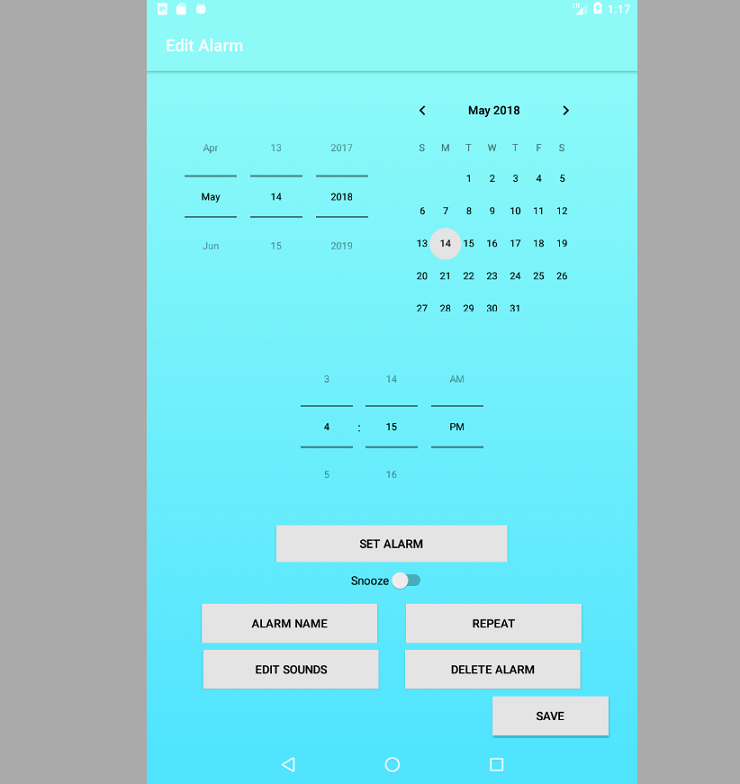
the sounds play. Users also have the choice of snoozing, repeating, editing the name of alarms/sounds, and deleting alarms/sounds. The alarm plays for 15 minutes
unless the users press snooze (if enabled) or stop. To the left is a screenshot of the screen where the user can edit the settings of an alarm.
We used Android Studios, Java, and XML to create the app. Each week, we added more functionality and tested on a tablet. After we finished building our app,
we presented it at the Apps for Good poster session. Here is our poster. If our app is ever uploaded to the
App Store, we hope that users use our app to improve their wake up experience. To the right is our app logo.